01
What this program is
Our software platforms include an account-security feature for the staff members who operate them (for example, a cashier, floor manager, or administrator at a licensee's retail location). When enabled, that feature can send a short text message containing a one-time passcode, or a notice about a security-relevant account event, to a staff member's verified mobile number.
This program carries no advertising, marketing, or promotional content, and is entirely separate from any consumer-facing SMS program a licensee may independently choose to run for its own customers.
02
Who receives these messages
Recipients are staff members of businesses that license our software — never the licensee's own retail customers, and never a member of the public who has not been enrolled by their employer.
03
How a phone number is enrolled
Enrollment always happens from inside the authenticated administrative area of the software — never through a public form on this website. The steps are:
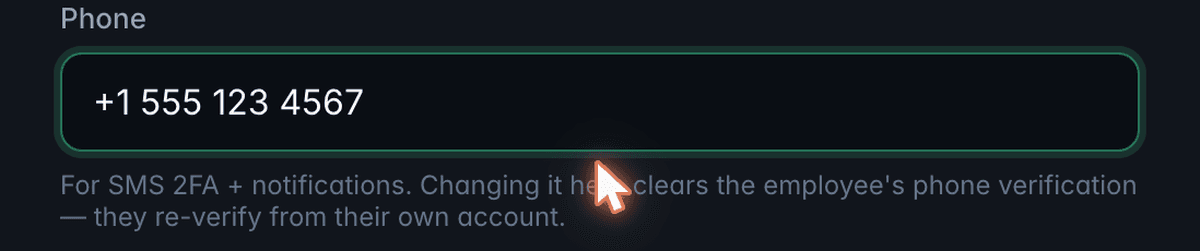
- Employer enters the number. An authorized administrator at the licensee enters a staff member's mobile number into the software, as part of that staff member's account.
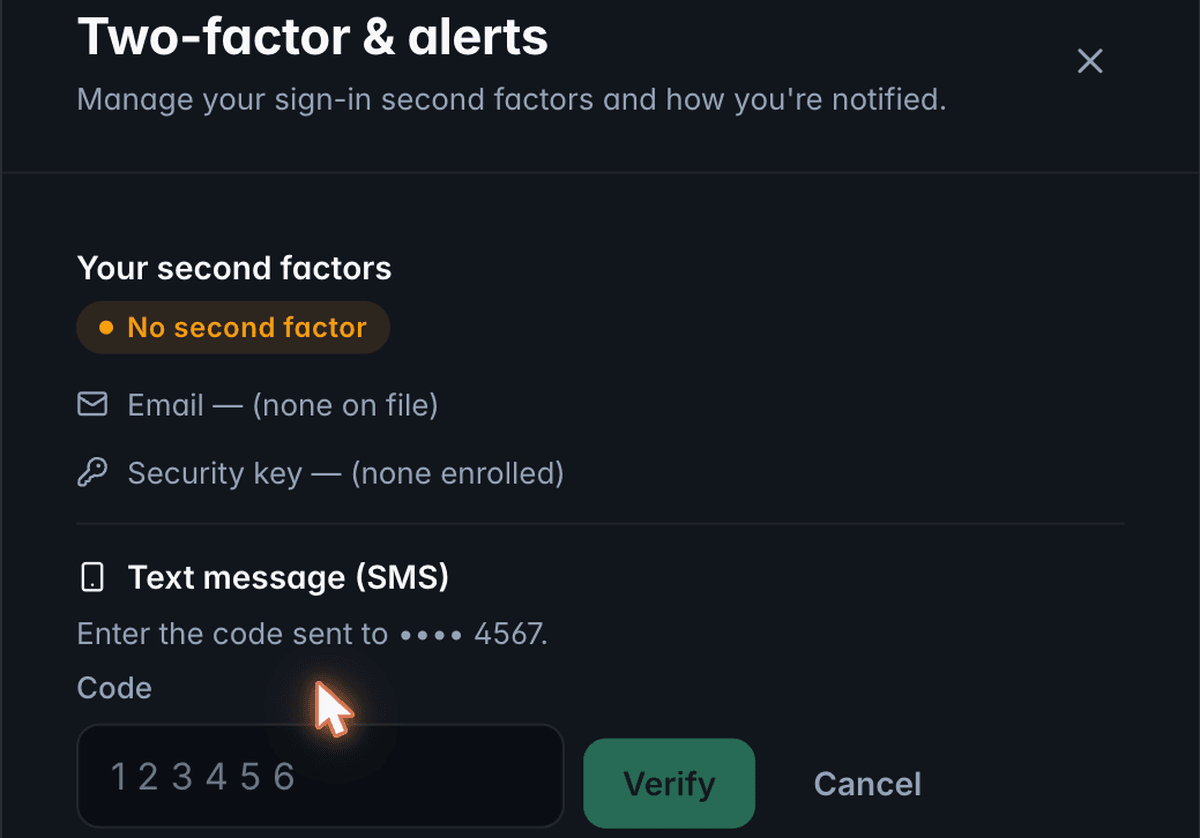
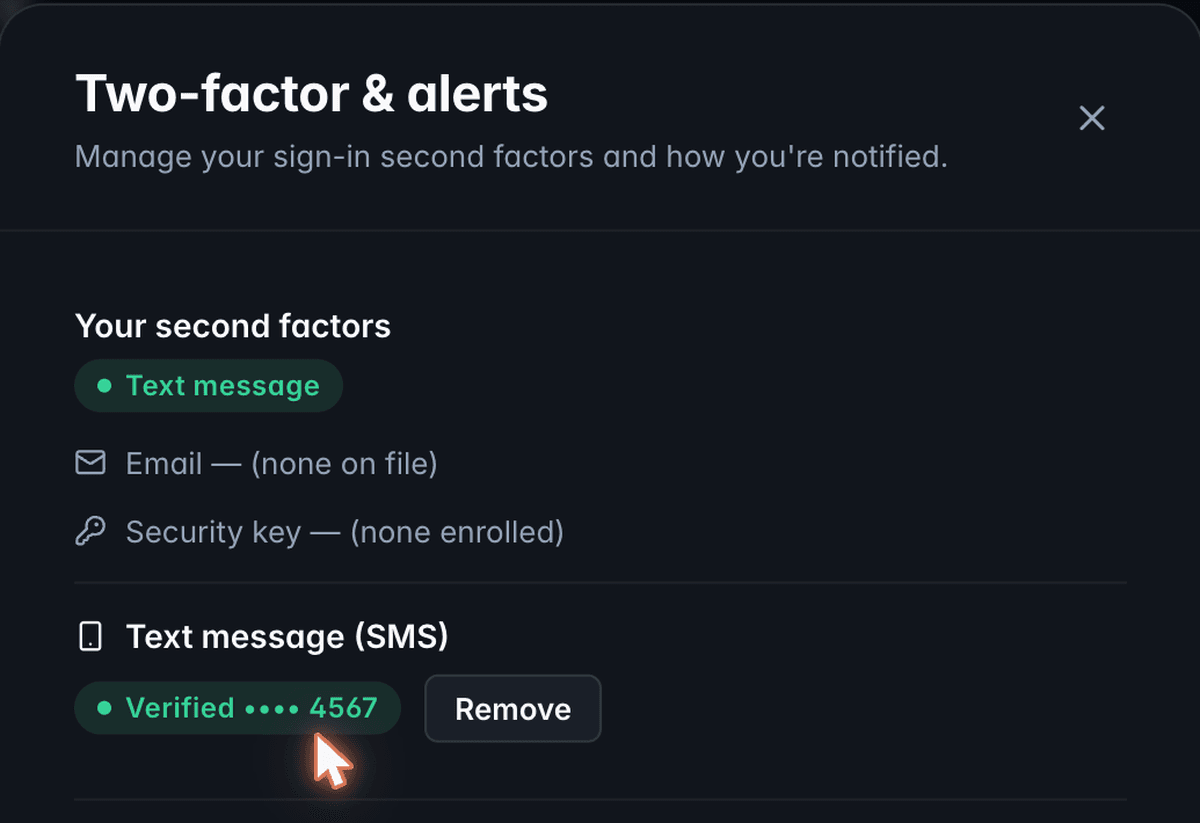
- Staff member confirms it. The platform sends a one-time verification code to that number by text. The staff member must enter the code back into the software before the number is treated as active. A number that is never confirmed is never used for messaging.
- Enrollment is optional and reversible. A staff member or their administrator can remove the number, or turn the feature off, at any time from within the software.
This flow lives inside our software's authenticated staff-management area, so it isn't reachable from this public website. The screenshots below show the exact screens, taken from a demo account with placeholder data.
04
Message types and samples
- Verification code
- "Your account verification code is 123456. It expires in 10 minutes."
- Security notice
- "Two-factor authentication was just enabled on your account. If this wasn't you, contact your administrator immediately."
05
Message frequency
Messages are sent only in response to a security-relevant event — signing in, enrolling or removing a second factor, or a similar account event. There is no recurring schedule and no promotional cadence. Message frequency varies by account activity.
06
Message and data rates
Message and data rates may apply, depending on the recipient's mobile carrier and plan.
PivotStack LLC does not sell, rent, or share a staff member's mobile phone number with third parties or affiliates for their own marketing or promotional purposes. A phone number collected under this program is used only to deliver the account-security messages described on this page.
07
Opting out and getting help
Reply STOP to any message to stop receiving further texts from that number, or reply HELP for assistance. A staff member may also ask their employer's administrator to remove their number, or remove it themselves from within the software, at any time. Opting out of text messages does not disable the account itself — an administrator can re-enable a different second factor (for example, a security key or an email code) if one is required.
08
Carrier disclaimer
Carriers are not liable for delayed or undelivered messages. We work to ensure timely delivery but cannot guarantee it, since delivery depends on factors outside our control, including the recipient's carrier and device.
10
Changes to this program
We may update this page from time to time to reflect changes in the program, our practices, or applicable law. When we do, we will revise the "Last updated" date at the top of this page.
11
Contact us
If you have any questions about this program, please contact us.
Contact
PivotStack LLC
Inquiries, requests, and questions about these documents.